

Complex alerts
How to set up a complex alert in NOVA Screener: one alert that watches the whole market, fires when any coin meets your filters, and sends you the ticker in the browser or in Telegram.
A price alert watches one coin. A complex alert watches the whole market for you. You describe what a coin has to look like, and the moment any coin on that market matches, NOVA Screener tells you which one. You do not pick the coin. The alert finds it.
Complex alerts are free. You only need to log in, so they are saved to your account.
Watch the short video below, or skip it and follow the written steps under it. Both cover the same ground, and every step here comes with a screenshot.
How a complex alert works
A complex alert has three parts:
- Where to look: one exchange and one market, spot or futures.
- What to look for: one or more filters, the same metrics you sort by in the screener. Volume, number of trades, price change in percent, volatility, spikes, each for several time windows from 5 minutes to 24 hours.
- How to tell you: a browser notification with a sound, a Telegram message, or both.
Every few seconds the alert checks all coins on that market against your filters. A coin has to pass all of them at the same time. When one does, the alert fires and the message names the ticker.
Create a complex alert
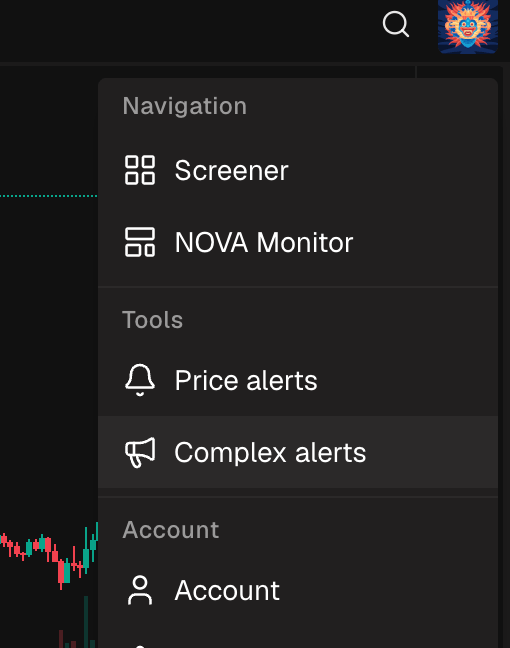
- Open the menu and pick Complex alerts.
- Click Create alert.
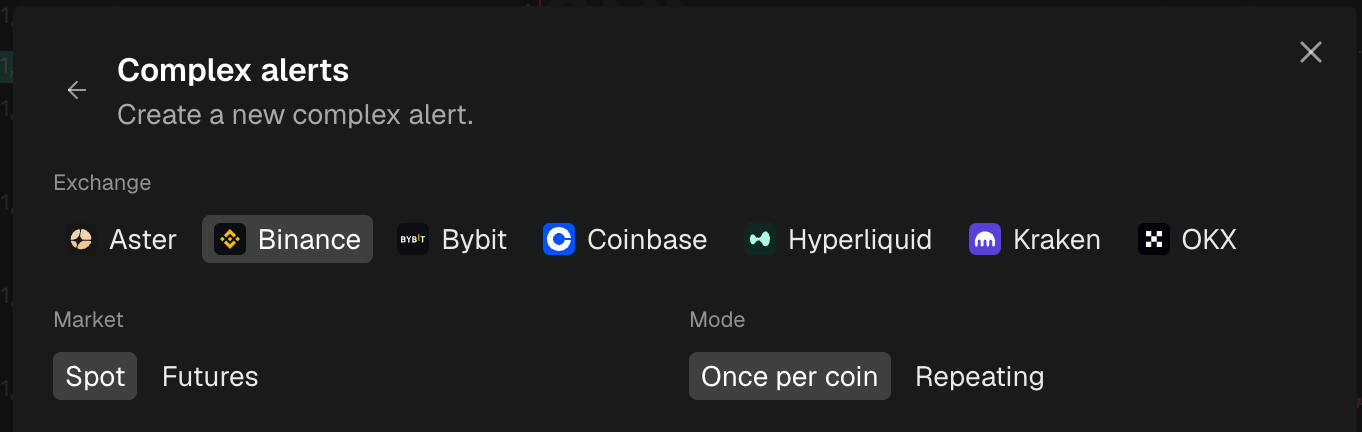
- Choose the exchange and the market.
Add filters
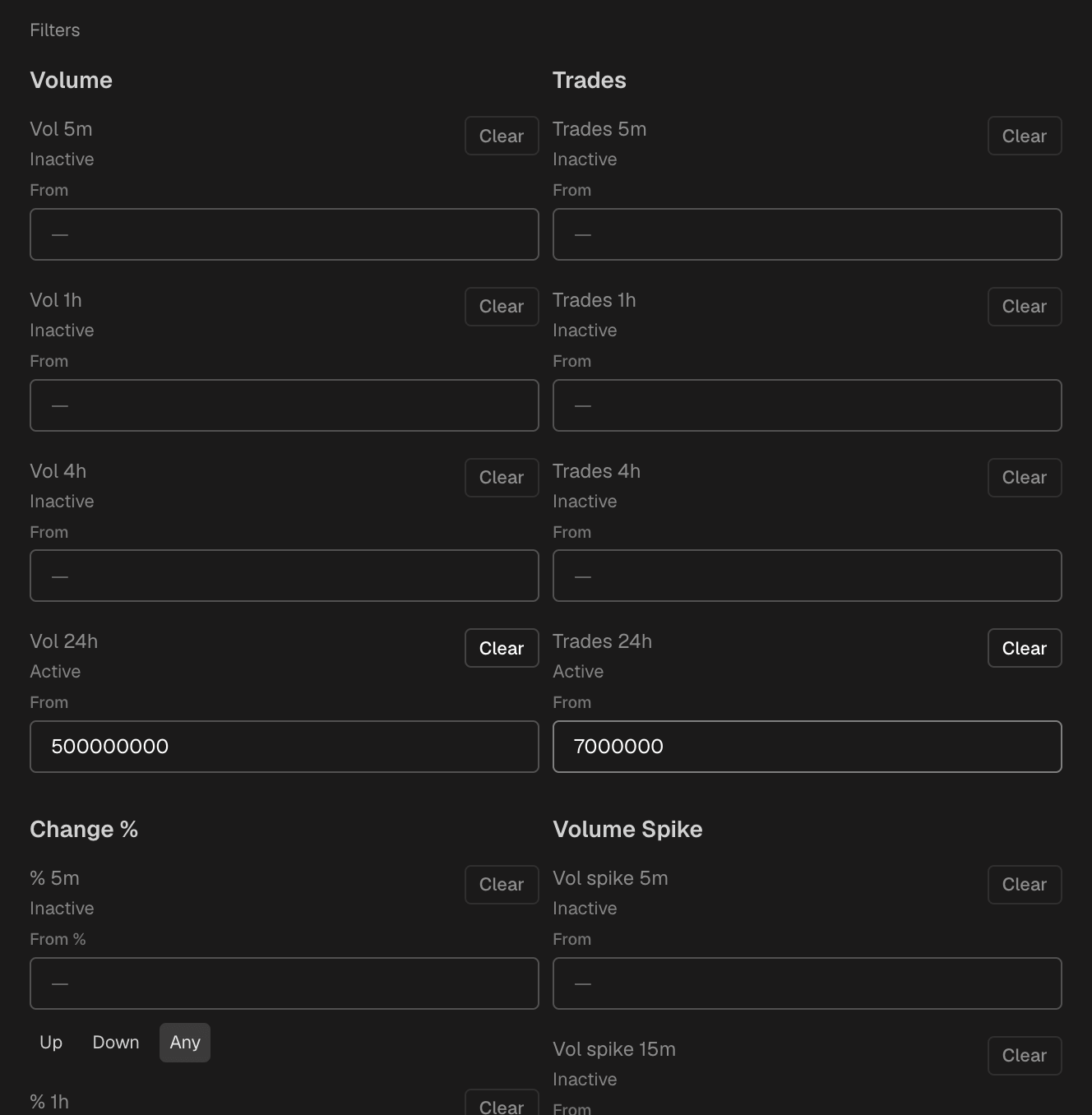
The Filters block lists every metric the screener sorts by, grouped by family: volume, trades, change in percent, volume spikes and so on, each for several time windows from 5 minutes up to 24 hours.
To use a filter, type a From value: the coin's number has to be at least that high. The filter turns Active as soon as it has a value, and Clear switches it off again. For metrics in percent the field says From %, and you also choose a direction: up, down, or any. "Up" catches pumps, "down" catches dumps, "any" catches both.
Fill in as many filters as you need. A coin has to match all of them at once, so every extra filter makes the alert more specific and less noisy.
Tip: start with two filters, not five. A volume spike plus a minimum price change already finds real moves. Add more only when the alert fires too often.
Blacklist
The form has a blacklist too. Tickers you add there never trigger the alert, even when they match. It is the place for stablecoin pairs and wrapped tokens, which pass volume filters all day without going anywhere.

Choose the mode
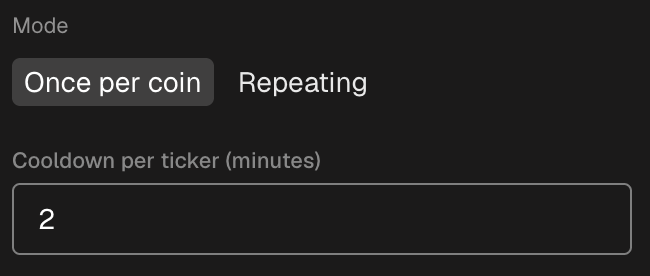
The mode decides what happens after a coin has matched:
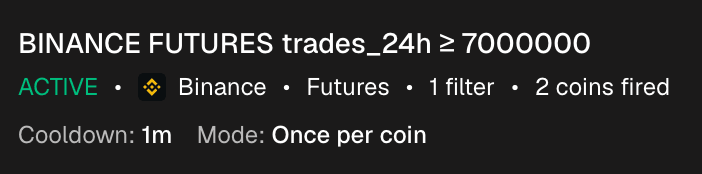
- Once per coin: each coin can fire the alert one time. After that the coin is done, and the list shows how many coins have fired so far. Good for "tell me every new coin that starts moving today".
- Repeating: the same coin can fire again. The cooldown per ticker, in minutes, sets how long the alert waits before the same coin can fire once more. Good for "keep telling me while this keeps happening".
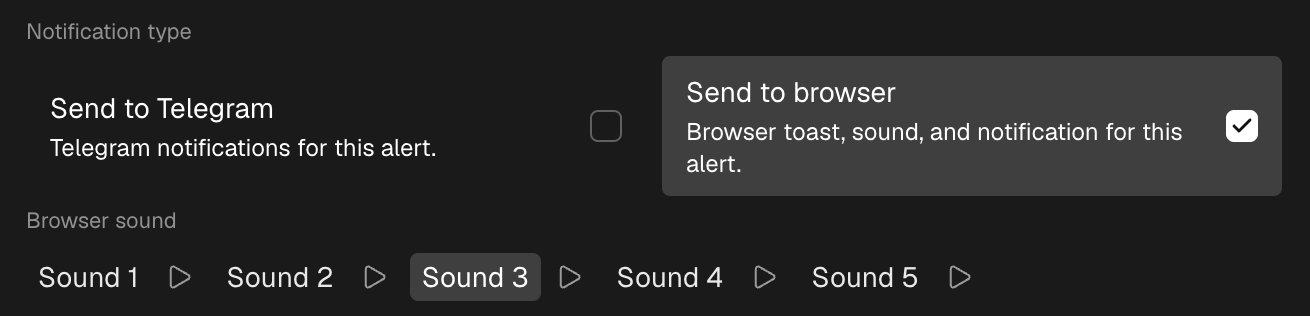
Choose how you get notified
Same as for price alerts, you can turn on one or both:
- Browser: a notification in the corner of the screen and a sound. Pick the sound and play it first to hear it.
- Telegram: a message from the NOVA Screener bot. Telegram needs a one-time setup in Settings, under Account, with the Connect Telegram button.
When a coin matches
When a coin passes all your filters, the alert fires. The notification names the ticker, so you can open it right away. In the list, the alert shows how many coins have fired since you created it, next to its filter summary, cooldown and mode.
Manage your alerts
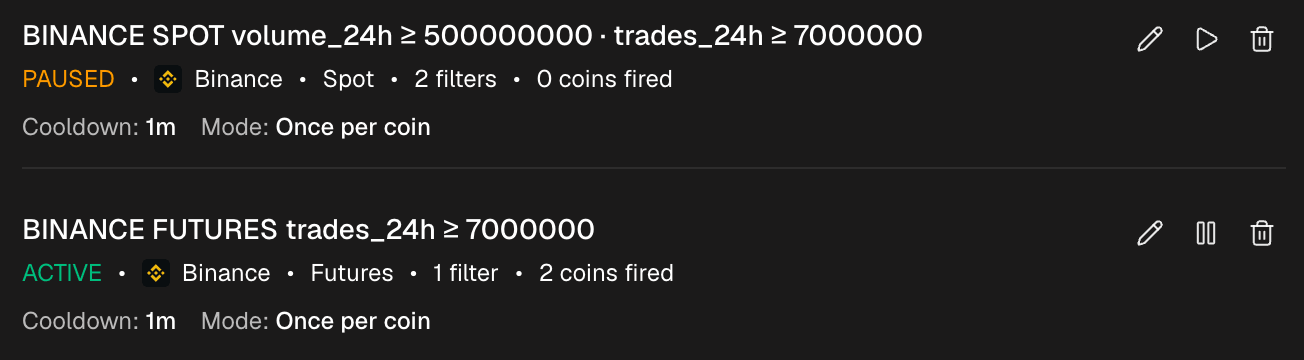
The Complex alerts list shows every alert with its exchange and market, a short summary of its filters, the mode and the cooldown. For any alert you can:
- Pause it, and resume it later.
- Edit the filters, the mode or the notifications.
- Delete it.
Three alerts worth setting up
Catch pumps as they start. Vol spike 5m plus % 5m, direction up. Mode: repeating, cooldown 15 minutes. Every time a coin's volume jumps and the price follows, you get the ticker.
Coins waking up today. Vol 1h from a solid number for that exchange, plus % 1h, direction up. Mode: once per coin. Each coin reports once, so by the evening the list is a clean set of everything that moved.
Dumps for shorts or dip buys. % 1h, direction down, plus Vol 24h from a minimum so thin coins stay out. Mode: repeating with a 30 minute cooldown.
Tip: put a minimum 24 hour volume in every alert. It costs nothing and keeps coins with one random trade from filling your notifications.
Frequently asked questions
What is the difference between a price alert and a complex alert?
A price alert watches one coin for one price level. A complex alert watches all coins on a market for a set of conditions and tells you which coin matched.
Are complex alerts free?
Yes. Complex alerts, price alerts, the monitor and the screener are all free. You only need to log in so your alerts are saved.
Which metrics can I use?
The same metrics the screener sorts by: volume, number of trades, price change in percent, volatility and spikes, each for several time windows from 5 minutes up to 24 hours.
Does it work when the site is closed?
With Telegram, yes. Browser notifications need NOVA Screener open in a tab. Connect Telegram once and every alert can reach you anywhere.